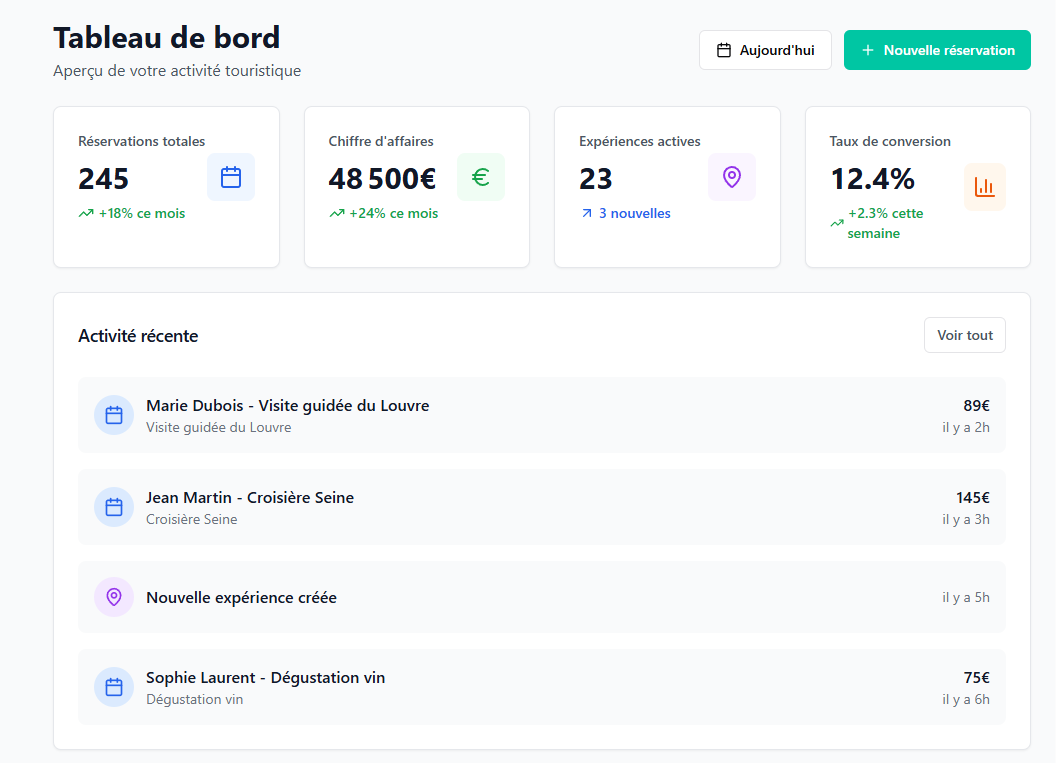
This glossary lists the words you will see in the Tourbiz admin. For each term, you will find where it is located, the words you may be using instead, and the article that explains it in detail.
Your offer
| Term | Common synonyms | Definition | Learn more |
|---|---|---|---|
| Supplier | provider, operator, partner | The entity that delivers the service. Each product is linked to a supplier. Menu Activities › Suppliers. | How to create a supplier? |
| Product | activity, service, ticket, excursion | What you sell: a cruise, a tour, an entry. Menu Activities › Products. | How to create a product in Tourbiz? |
| Internal name | management name | The product name used for your own management, separate from the Product name, which exists in several languages. | How to create a product in Tourbiz? |
| Price type | rate, participant category | The rate categories of a product (Adult, Child…). Set in Configuration › General Settings › Price type. | How to create an Adult + Child product with several times? |
| Time type | schedule type | Setting in Configuration › General Settings › Time type, linked to the times of your products. | — |
| Option | supplement, extra | An optional add-on to a product (meal, photo…). It is created in Activities › Options catalogue, then attached to the product in the Options tab. | The complete guide to the Options Catalogue |
| Component | building block | A service bought from a supplier and included in a larger product. Menu Activities › Components catalogue. | Block 1: Create a component |
| Umbrella product | parent product | A product that groups components, or several products, to be sold or distributed as one. | Block 2: Link components to a product |
| Ticket reserve | batch of tickets, quota | Menu Activities › Ticket reserves. Ticket barcodes bought in advance, in bulk, from an external supplier, to resell its services. Each sale uses one ticket from the reserve. | How do availability and shared stock work? |
| Privatisation | exclusive hire, private group | Selling a service exclusively to one group. Menu Activities › Privatisations. With a privatisable stock, a single sale is enough to close the date, whatever the number of people counted. | How to manage availability stock? |
Your availability
| Term | Common synonyms | Definition | Learn more |
|---|---|---|---|
| Stock | capacity, places | The maximum capacity. A stock can cover several products. Your website, the admin, OTAs and resellers all draw on the same stock, except for a special product with a dedicated stock. Menu Activities › Product availability. | How to manage availability stock? |
| Shared stock | common capacity | Adults and children counted in the same counter, as opposed to a stock per price type. | How to manage availability stock? |
| Period | season, opening range | The date range during which times apply, in Day mode or Week mode. Prices have their own calendar, separate from times. | How to add time availability periods? |
| Service time | slot, departure, session | Yes / No setting in the Times tab: is the product sold at a precise time? | How to create an Adult + Child product with several times? |
| Closure | block, unavailability | A date or a time closed to sale, product by product or in batch. | How to manage product closures? |
| Reference date | service date | The date the product is based on: Booking date or Validity limit. | How to create a product in Tourbiz? |
| Event | departure, session | An occurrence on the schedule, linked to a product group. | How does the schedule work? |
| Product group | grouping | A set of products that share the same event on the schedule. Menu Online sales › Product groups. | How do Product Groups work? |
| Resource | guide, boat, vehicle, room | A human or material resource assigned to an event. Menu Operations › Resources. | What are Resources for? |
Your sales channels
| Term | Common synonyms | Definition | Learn more |
|---|---|---|---|
| Widget | booking module, Book button | A small module you place on your website to sell directly. It is embedded as a DIV, not as an iframe: it inherits your website style and you can customise it with your own CSS and your own JS. Menu Online sales › Widgets. | How to create and integrate widgets? |
| OTA | platform, marketplace, online distributor | A third-party sales platform (Viator, GetYourGuide…) linked through a connection in Channel manager › OTA connections. The OTA collects payment from the customer. You then invoice it for the sales amount minus commissions. | How to connect to an OTA? |
| Product mapping | matching, association | The link between a Tourbiz product and the equivalent product on the OTA. | How to add GetYourGuide to Tourbiz? |
| Reseller | partner, agency, referrer | A partner you create in Channel manager › Resellers who sells your products. It collects payment from the customer and you invoice it for the sales minus commissions. | What are resellers and how to manage them? |
| Affiliate | referrer | A partner registered in the Affiliate programme of the Channel manager, who sends you customers. | — |
| Commission group | commission grid | The set of commission rules (default commission and detailed commissions) applied to an OTA or a reseller. | How does Commission Management work? |
| API key | API access | The identifier that gives a technical partner access to the products you tick. Menu Online sales › API. | What is the API for? |
| Promo code | discount code | A discount as a percentage or an amount, usable in the Cart widget. Menu Activities › Promo codes. | The complete guide to Promo Codes |
Your orders
| Term | Common synonyms | Definition | Learn more |
|---|---|---|---|
| Order | booking, reservation | A recorded sale. Menu Orders. | How does order management work? |
| Order statuses | state, badge | In the Orders list, the Status badge combines two pieces of information: its colour gives the booking status (unpaid, to process, pending, processed, cancelled, refused), its text gives the payment status (for example accepted, awaiting transfer, to refund, deferred). An order paid online becomes processed when there is nothing left to do. Refused applies to reselling a third-party supplier product without API, when the supplier refuses the order. | How does order management work? |
| Custom filters | labels, tags | Markers (name, code, colour) you apply to your orders to sort them. Set in Configuration › General Settings › Custom filters. | How to use custom filters in Orders? |
| Payment methods | payment gateway | The payment solutions set up in Configuration › General Settings › Payment methods. | Step 1: Set up your workspace and payment methods |
Note: a term is missing? Contact the Tourbiz team, quoting the title of this article, and we will add it.