
Operations Schedule
Your entire operation, at a single glance.
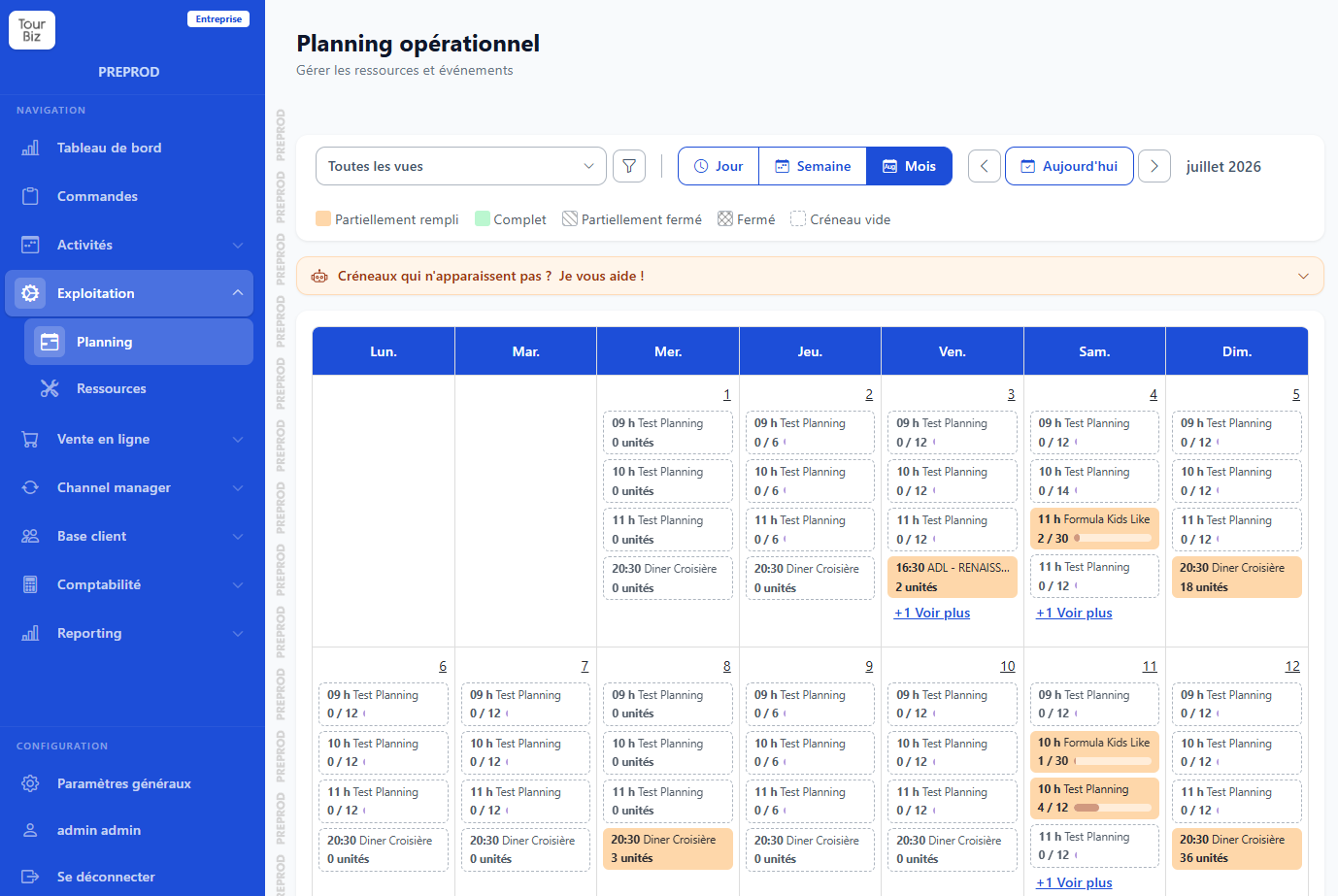
The Tourbiz operations schedule brings all your departures together on one calendar. Day, week or month view, colour-coded fill rates, opening and closing of time slots… you run your whole business from one clear, readable interface.
The benefits of Tourbiz for operations schedule
Day, week, month: the view you need
Depending on what you need, switch in one click between the day view (to handle the rush of the moment), the week view (to plan ahead) or the month view (to steer the season).
All your time slots and all your products are there, in one place, with their times and capacities.
Request a Quote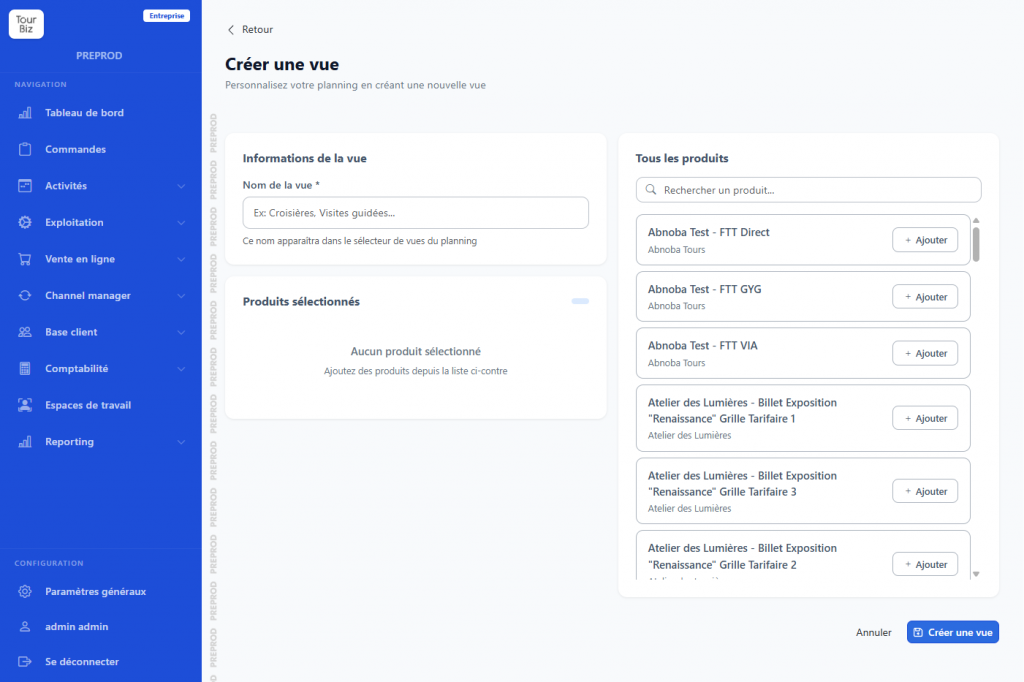
Fill rates you can read at a glance
Each time slot shows its status with an instant colour code:
You instantly spot where to push sales and where you are at capacity.
- partially filled,
- full,
- partially closed,
- closed,
- empty slot.
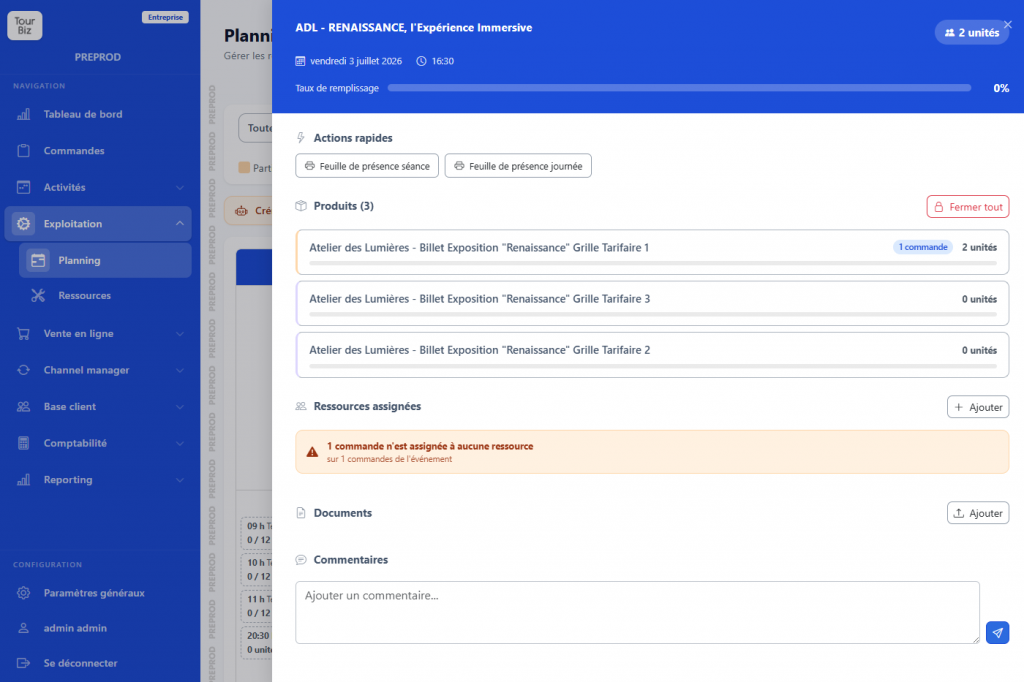
Open and close your slots on the fly
Fickle weather, a guide off sick, a private-hire request? Open, close or adjust the capacity of your slots straight from the schedule.
Your online availability updates immediately, across all your sales channels.
Request a Quote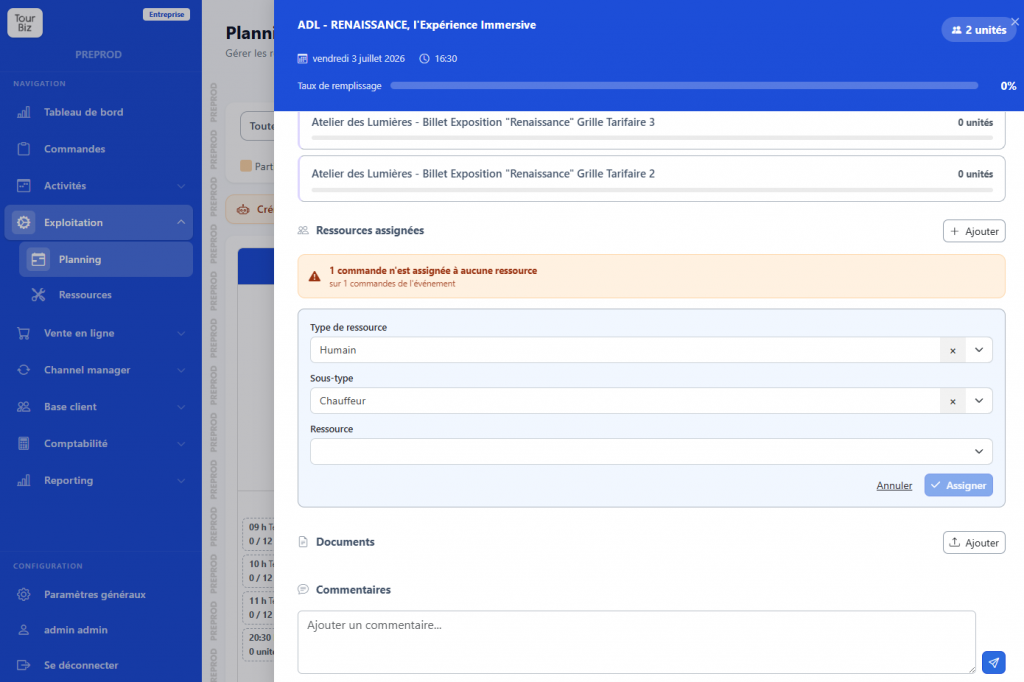
A schedule connected and up to date in real time
Every booking, payment or change is reflected instantly in the schedule. Online sales, counter, OTAs, resellers: everything converges into one reliable view.
Your team works from the same information, with no risk of overbooking or a forgotten slot.
Request a Quote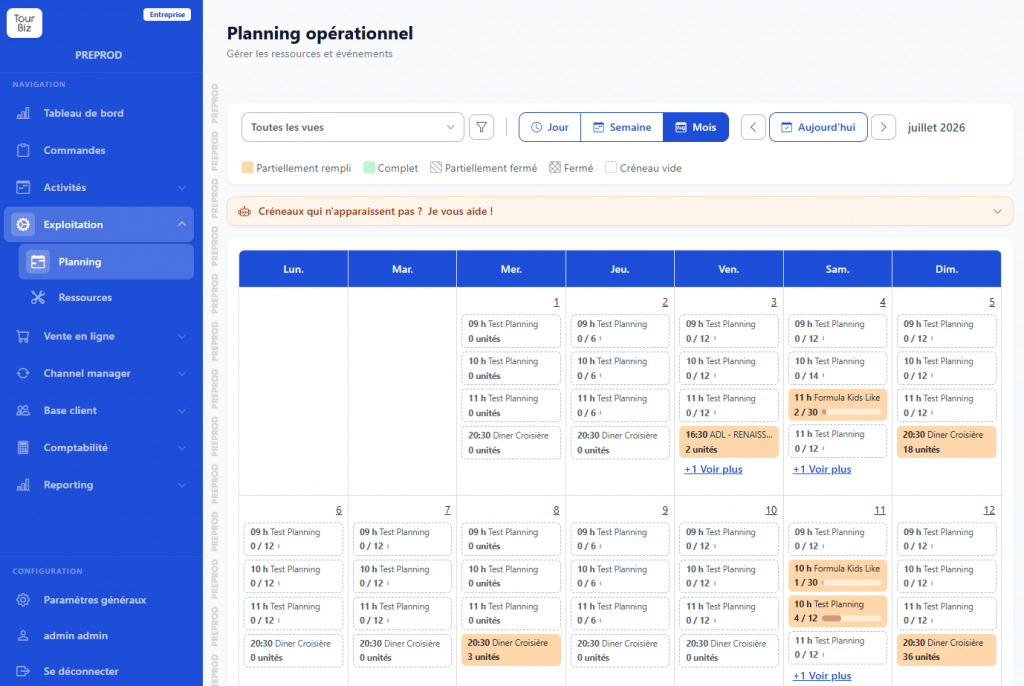
They already trust Tourbiz!
Cruises, guided tours, leisure activities: tourism professionals already run their bookings on Tourbiz.