What is a reseller?
A reseller is a business partner who distributes your products (activities, tours, etc.) without going through the standard OTAs in the Channel Manager: a travel agency, blog, works council, accommodation/concierge, transport provider, or other. Each reseller has its own tracking keyword, its own commission group, and its own contact/billing setup, which lets you track the sales attributed to it and calculate its commissions.
Where to manage resellers in Tourbiz?
Menu Channel manager > Resellers.
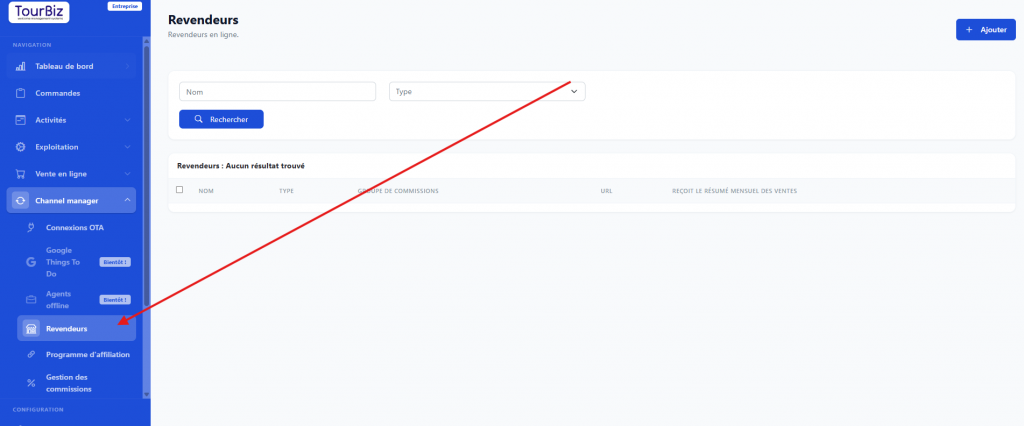
This page lists all existing resellers, with:
- a search form by Name and by Type (Travel agency, Other, Blog, Works council, Accommodation / Concierge, Transport);
- a results table with the columns: Name, Type, Commission group, URL, Receives monthly sales summary.
Adding a reseller
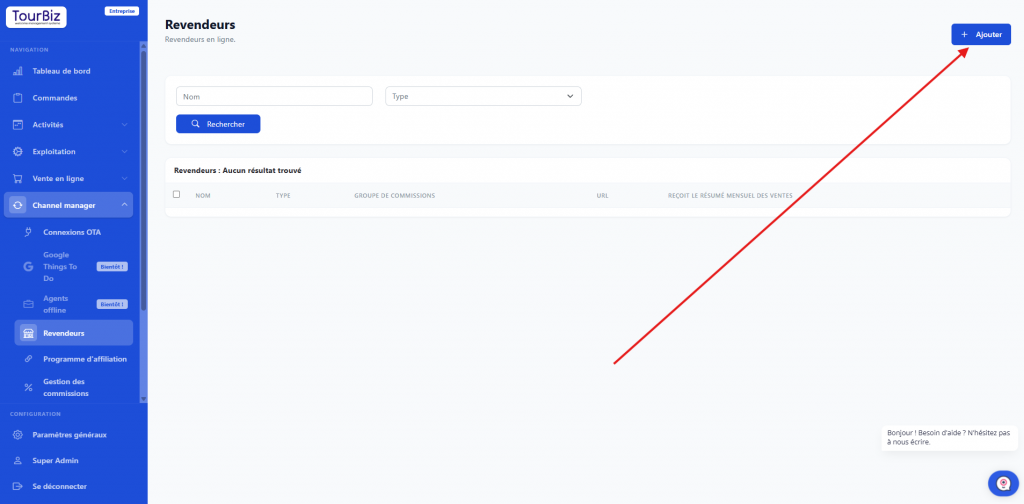
- From the reseller list, click Add.
- Fill in the general information:
- Name* and Website
- EU VAT number
- Email (Login)* — used as the login identifier
- Communication language* (German, English, Spanish, French, Italian, Portuguese)
- Currency (e.g. € – EUR)
- Keyword (?retailer=)* — the parameter added to your URLs to track sales coming from this reseller
- Category* (the same choices as the Type filter: Travel agency, Other, Blog, Works council, Accommodation / Concierge, Transport)
- Commission group* (e.g. Zero commission, or a custom group). Note! Commission groups must have already been set up beforehand in order to assign them to your resellers.
- VAT (%)
- Customer account (Yes / No)
- Fill in the reseller’s contact: First name, Last name, Email, Phone, Full address (address, postal code, city, country). The contact’s email is required: this is where voucher and payment emails are sent. This contact can also receive the monthly sales summary if the option is checked on their record.
- Set up the data feed if the reseller needs to automatically pull your catalog:
- Data feed type*: default XML, Google Things to Do, or a .csv product list
- Create / Regenerate feed button to generate this feed
- Click Save to create the reseller.
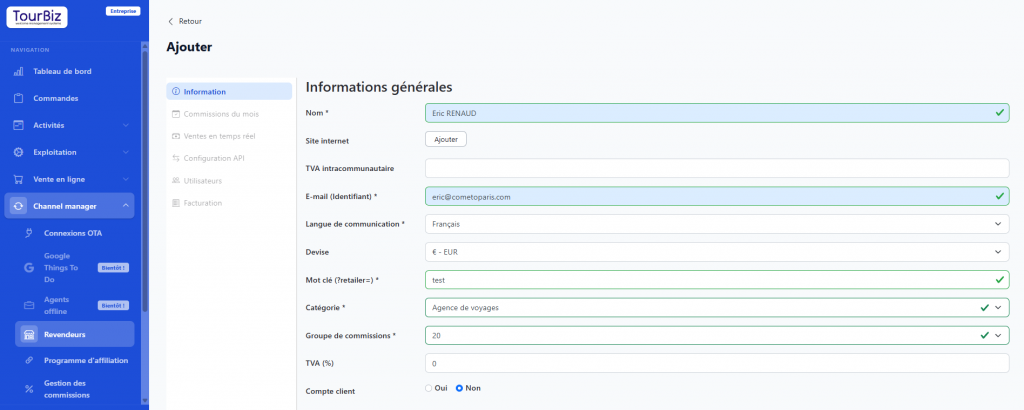
The other tabs on the reseller sheet
Once the reseller is created, its sheet has several tabs:
- Information — the general information described above
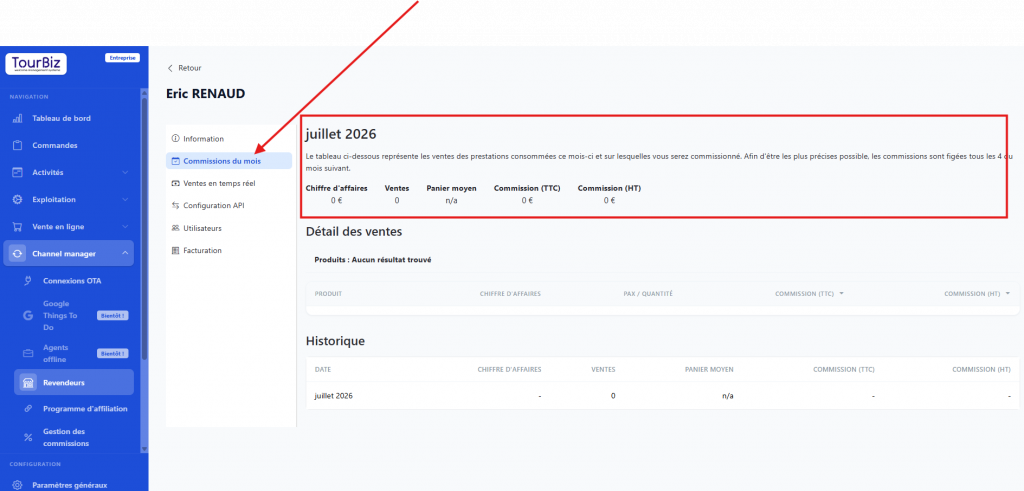
- This month’s commissions — tracking of commissions due for the current period
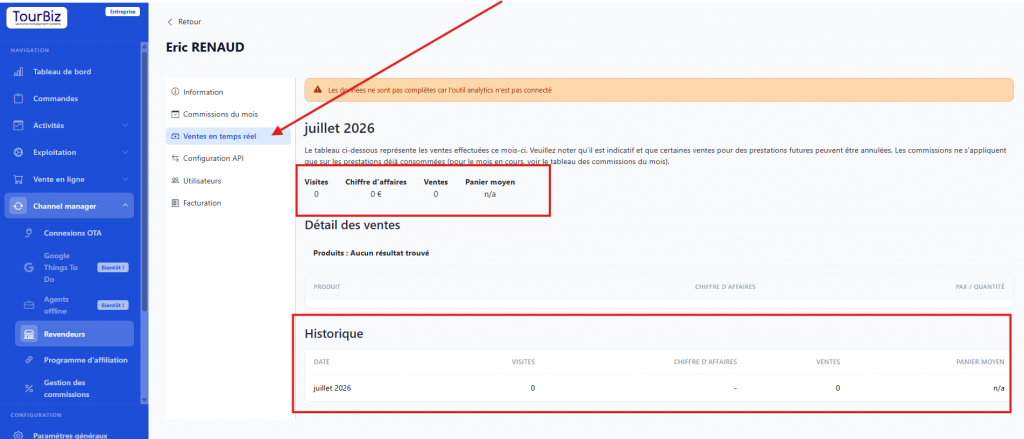
- Real-time sales — sales made by this reseller
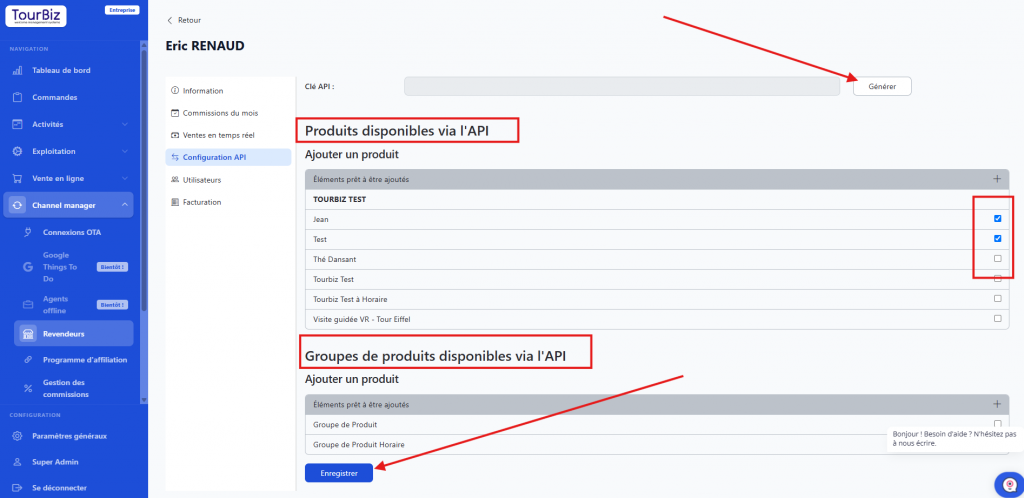
- API configuration — technical integration settings specific to the reseller. The products and product groups available via the API let you automatically distribute entire batches of products to the reseller, via API.
- Users — management of user accounts associated with the reseller
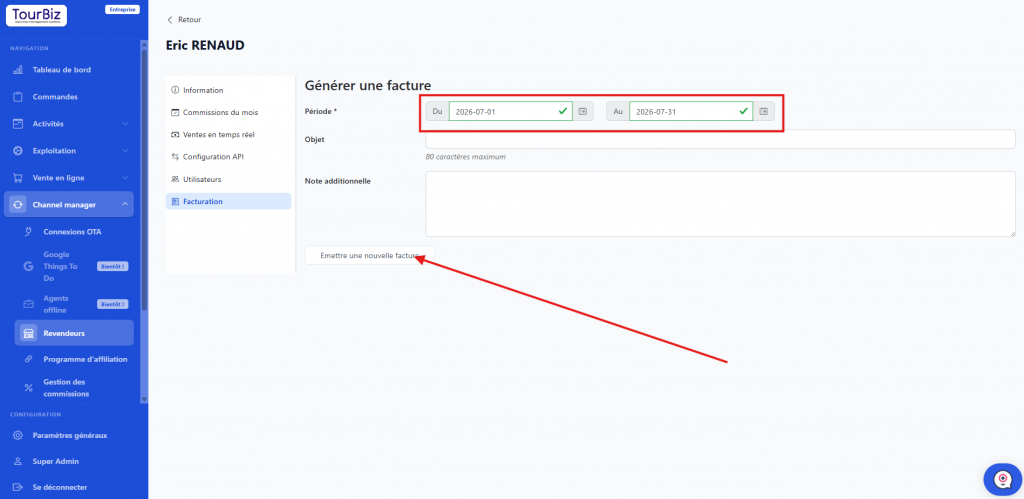
- Billing — billing information and documents. This section is especially useful if you want to send invoices to your resellers for payment.
Note
- The keyword is what lets Tourbiz attribute a sale to this specific reseller: make sure it’s unique.
- The commission group determines the reseller’s compensation on each sale — be sure to set it up before putting the reseller into production (menu Channel manager > Commission management).