What the API is for
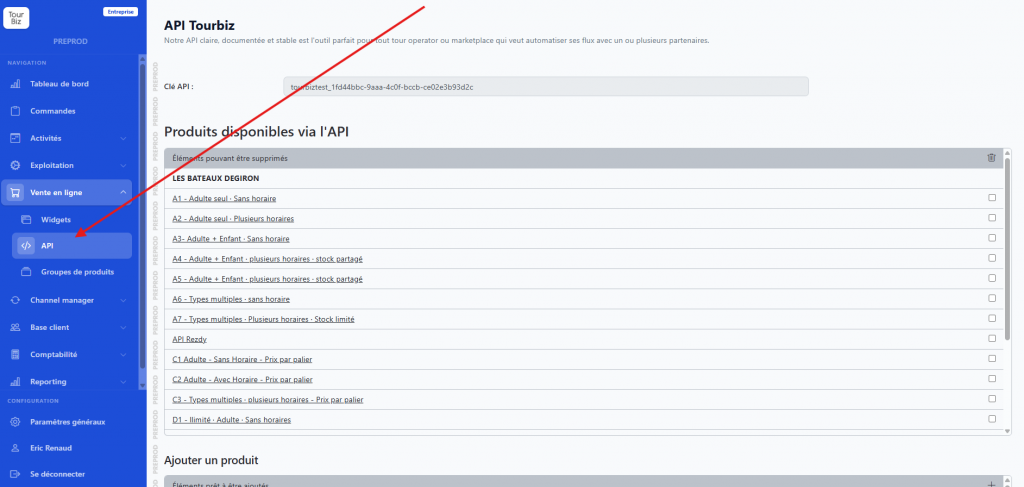
The API is an alternative to widgets for building your online sales presence. Where widgets are ready-to-use modules you embed, the API lets you build your own website by retrieving Tourbiz data directly: catalog, availability, bookings.
The main benefit is getting a site whose design and user journey you fully control, without depending on the widgets’ appearance. It’s the right tool for tour operators and marketplaces who want to automate their flows with one or more partners.
The API key
API access is based on an authentication key. From the Online Sales › API menu, a key is generated and displayed at the top of the page (in the format tourbiztest_…).
This key is used in two ways:
- In the Swagger documentation, via the Authorize button
- In the HTTP headers of your requests
Documentation and endpoints
The full documentation is available at:
<https://www.tourbiz.net/api/v2/doc#/>
It’s presented in Swagger format and groups the endpoints into three families:
| Family | Content |
|---|---|
| Supplier | Supplier information |
| Products | Product list, product sheet, availability, calendar |
| Bookings | Creation, confirmation, cancellation, retrieval and update of bookings |
Building a call URL
The base URL for calls is obtained by removing /doc#/ from the documentation address:
<https://www.tourbiz.net/api/v2/>
You then add the path for each endpoint, for example /products or /availability.
Checking the products accessible via the API
On the API page, a section lists the available products and lets you add more, sorted by supplier, via a simple checkbox.
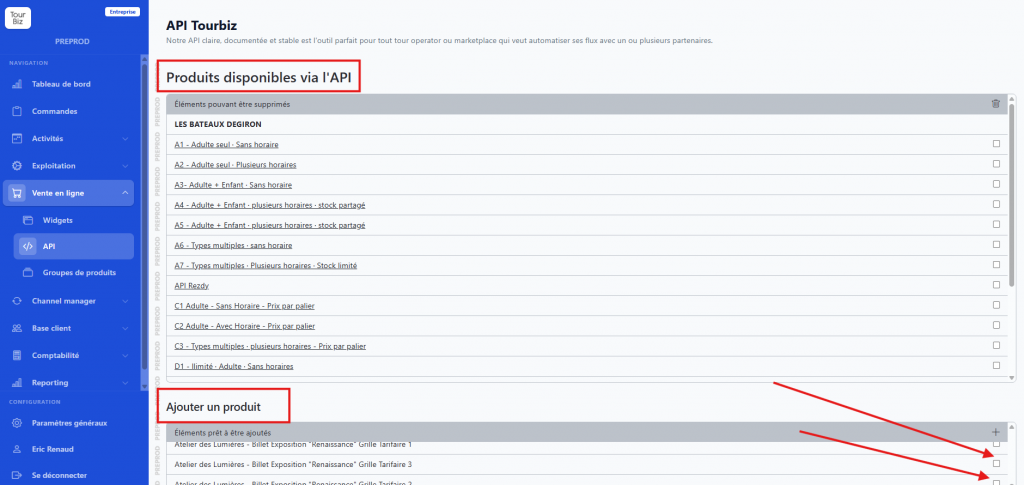
⚠️ Important point: booking widgets also rely on the API. So you must check your products in the API tab of Online Sales before you can select them in the widgets. This step is required for both distribution modes.
This selection also helps avoid exposing back-office products not intended for online sale via the API, such as private bookings.
The exposed content: API Texts and API Images
The API also exposes rich content to feed your custom site. This content is entered on the product sheet, in edit mode, via two dedicated tabs.
API Texts
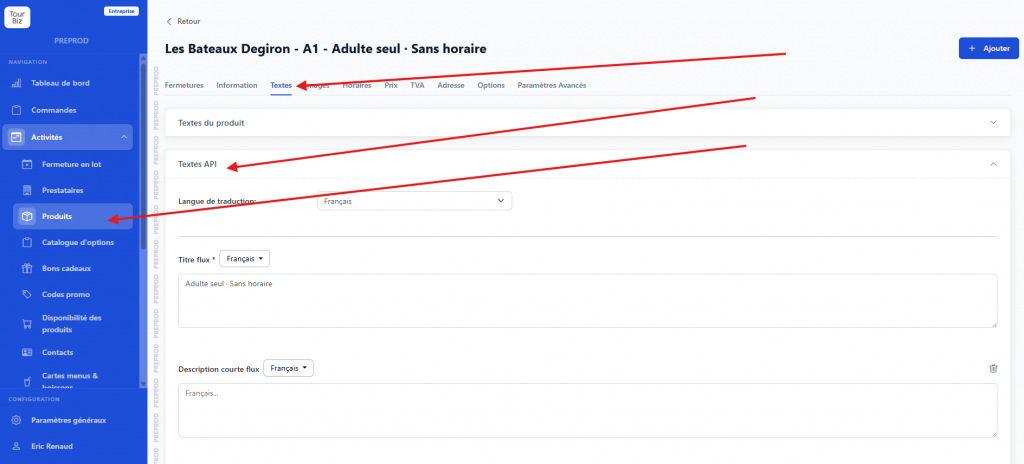
In the Texts tab, an API Texts section (distinct from the standard product texts) groups together:
- Feed title
- Short feed description
- Included / not included content
These fields can be managed per translation language.
API Images
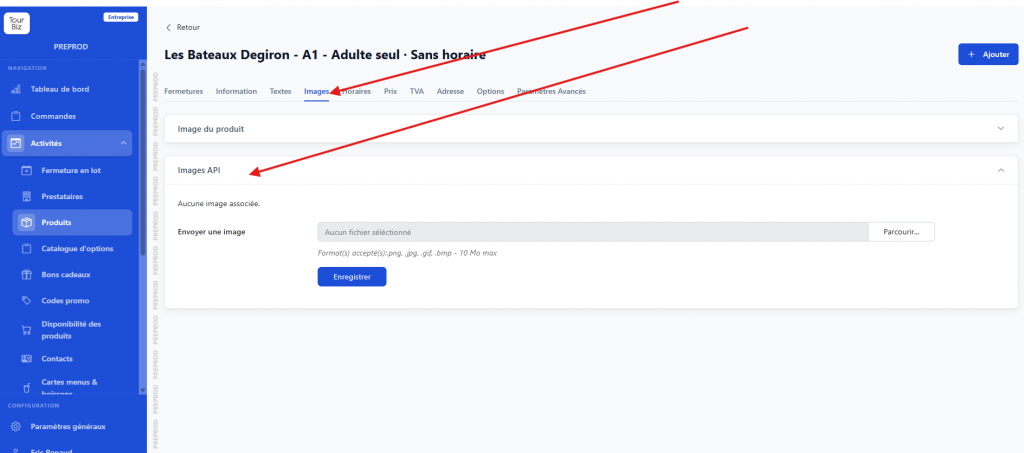
In the Images tab, an API Images section is distinct from the standard product image.
This content is thus independent from what’s used elsewhere in the back office.