What is an OTA in Tourbiz?
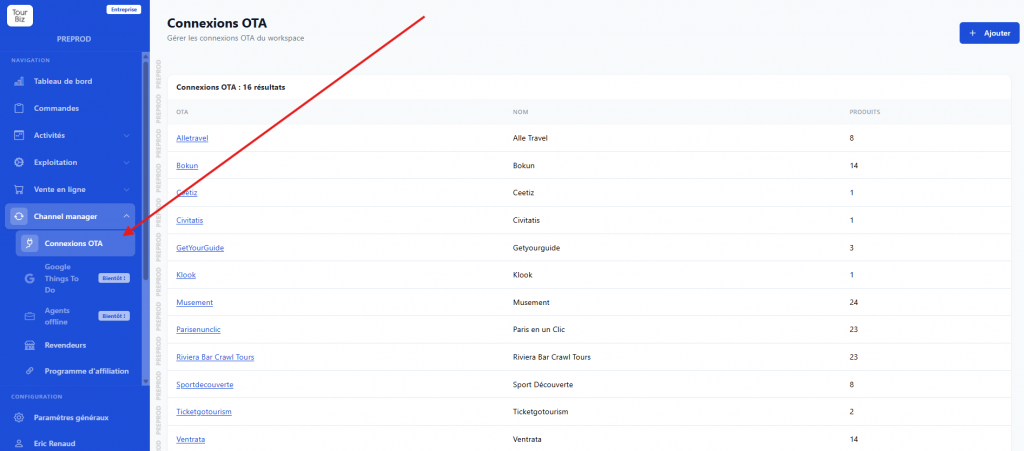
In Tourbiz, an OTA is a distributor-type sales channel that uses the Tourbiz API to distribute your products. That’s what sets it apart from a standard reseller: a reseller has no API connection, whereas an OTA automatically pulls your catalog through this channel. These channels are managed in the Channel manager › OTA connections menu, where you’ll find the list of your connected distributors along with the number of products currently pushed to each one.
Adding an OTA connection
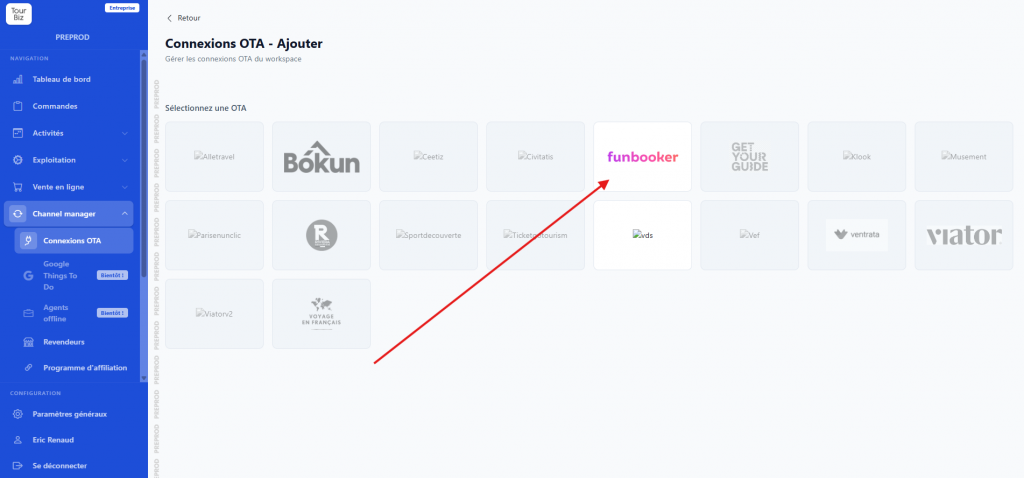
The Add button opens the grid of all OTAs that can be connected to Tourbiz. This list is regularly expanded, with new distributors added over time. To connect a channel, simply click on an OTA that isn’t connected yet, then follow the instructions shown. These instructions are specific to each OTA, so the process isn’t the same from one distributor to another — be sure to read the explanatory box shown on each connection’s page.
OTAs that have integrated the Tourbiz API
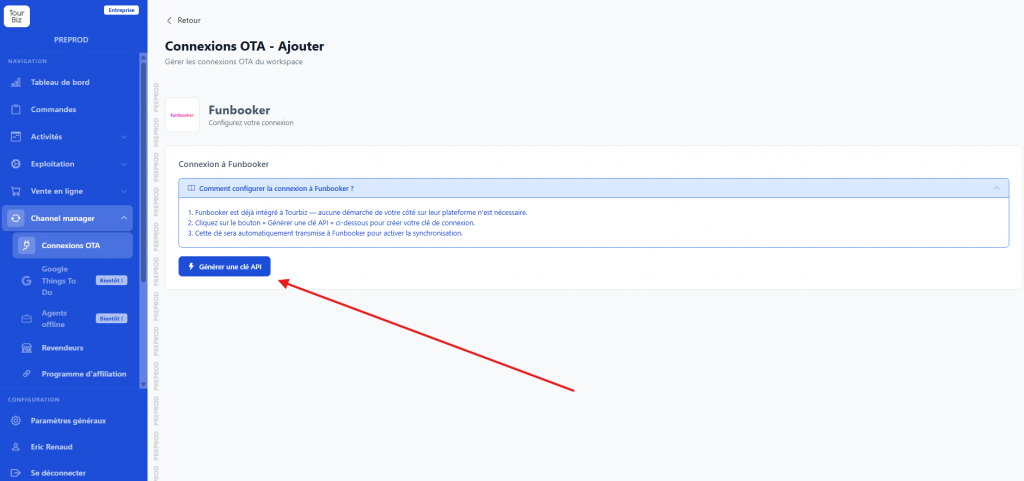
For distributors who have already integrated the Tourbiz API, the connection is simple and direct. On the chosen OTA’s page, you generate an API key that you pass on to the distributor (for some integrations, the key is even transmitted automatically to activate synchronization). Once the key is in place, all that’s left is to assign this distributor the products or product groups you want to make available to it. From there, the OTA has access to the part of your catalog you’ve selected. For more on how product groups work and the choice between individual products and a parent product, see the dedicated article in the Online Sales section.
One important point to watch: for distributors to correctly retrieve your products, you must fill in the API texts on the product sheets, particularly the Title, which is essential. Without this feed title, the product may not be properly picked up by the OTA.
OTAs whose connection was set up by Tourbiz
Some OTAs work differently, because Tourbiz had to establish the connection on its end. This is notably the case for Viator and GetYourGuide. For these distributors, the connection process isn’t the same as for standard OTAs. By clicking on the relevant OTA, you’ll find specific instructions, and dedicated articles are available in the Channel manager section of the knowledge base to guide you step by step through these special cases.