
📌 Key takeaways
- A booking widget is a module you embed on your website so your customers can book and pay online without leaving your page.
- It turns your showcase site into a direct sales channel, open 24/7, with no OTA commission.
- Integration often comes down to a simple snippet of code to paste, or a hosted booking page.
- Combined with availability synchronisation, it prevents overbooking between your site, the OTAs and Google.
Your website showcases your activities beautifully. Your visitors are won over, ready to book. And then you ask them to send an email or call during opening hours.
At that precise moment, you lose some of them. A booking widget for an activity website removes this friction point: the visitor books and pays in a few clicks, directly with you.
Let’s see what it is exactly, why it has become a standard, and how to integrate it cleanly without spending your evenings on it.

What is a booking widget for an activity website?
A booking widget is a ready-to-use module you add to your website, most often via a single line of code. Think of it as a cash register that’s always open: while you’re out on the water or in the middle of a tour, it takes bookings in your place.
Concretely, from your website, the visitor chooses an activity and a time slot, enters their details and pays online. The booking lands directly in your back office.
- Slot selection in real time, according to your availability.
- Integrated payment (card, sometimes a deposit or pay-on-site).
- Automatic confirmation sent to the customer, with no action from you.
Everything starts from your activity listing: it defines the slots, prices and options shown in the widget. On Tourbiz, this is managed from the creation of your tourism products, then displayed on your website.
💡 Good to know: A widget isn’t a new website: it adds to your existing site (WordPress, Wix, Squarespace…) via a code snippet or an iframe. You keep your design, you add booking.
Why install a booking widget on your site?
Because that’s now where the purchase decision is made. In France, travel-tourism and online ticketing make up the leading e-commerce category, with 65.7% of online shoppers having made a purchase in the year (Source: INSEE, 2025). Your customers are already used to booking online: not allowing it means sending them to a competitor who does.
- You sell 24/7, even at night and off-season, with no human presence.
- You collect payment directly, with no OTA commission on the sale.
- You reduce back-and-forth by phone and email, and therefore your administrative load.
The stake isn’t only technical: it’s about capturing the customer at the right moment. It’s the same reasoning as for choosing a booking platform for your guided tours, where the simplicity of the journey makes all the difference to the conversion rate.
Take a concrete case. A paddleboard provider received requests by email and replied in the evening. The result: lost slots and impatient customers. By adding a booking widget to their site, they opened booking continuously. Visitors book and pay on their own, and the provider focuses on the field rather than their inbox.
How to integrate a booking widget on your site?
Setting it up is simpler than you’d think. It comes down to three steps: display the widget, collect payment, then synchronise.
Step 1: display the module on your site
Most solutions generate a short snippet of code (a script or an iframe) that you paste on the page of your choice. The widget then appears in your site’s colours, with no redesign or particular technical skill.
Step 2: connect online payment
To collect payment directly, the widget must be linked to a payment system. It’s now a deeply ingrained reflex: the number of card payments online has more than doubled in a few years in France (Source: France Num, 2025). On Tourbiz, the connection to a payment system covers bank card, PayPal, transfer or pay-on-site.
Step 3: synchronise your availability
This is the step many forget. If you also sell on the OTAs, your availability must be shared: a spot sold via the widget must disappear everywhere else, instantly. Without that, overbooking is only a matter of time.
⚠️ Watch out! A widget that isn’t synchronised with your other channels is a trap: you sell the same slot on your site and on GetYourGuide, and then have to cancel a booking. Bad for the customer, bad for your reputation.
Widget, OTA or manual booking: which to choose?
Each channel has its place, but they’re not equal in cost or customer experience. The table below sheds light on the choice.
| Criterion | Widget on your site | OTA (GetYourGuide…) | Email / phone |
|---|---|---|---|
| Commission | 0% | 20 to 30% | 0% |
| Availability | 24/7, direct | 24/7 | Opening hours |
| Payment | Immediate and automated | Handled by the OTA | Manual, often deferred |
| Customer relationship | You keep it | Owned by the OTA | You keep it |
| Risk of error | Low if synced | Low | High (double entry) |
The winning combination is clear: a direct widget as the main channel, the OTAs for visibility, and the gradual abandonment of 100% manual booking.
💡 Want a booking widget on your site?
With Tourbiz, create your activities, embed the widget on your site and collect payment online, all synchronised with your other channels from a single dashboard.
Create my free accountHow we approach online booking at Tourbiz
The challenge for a provider isn’t displaying a “Book” button. It’s making booking, payment, invoicing and synchronisation work together, without stacking up tools.
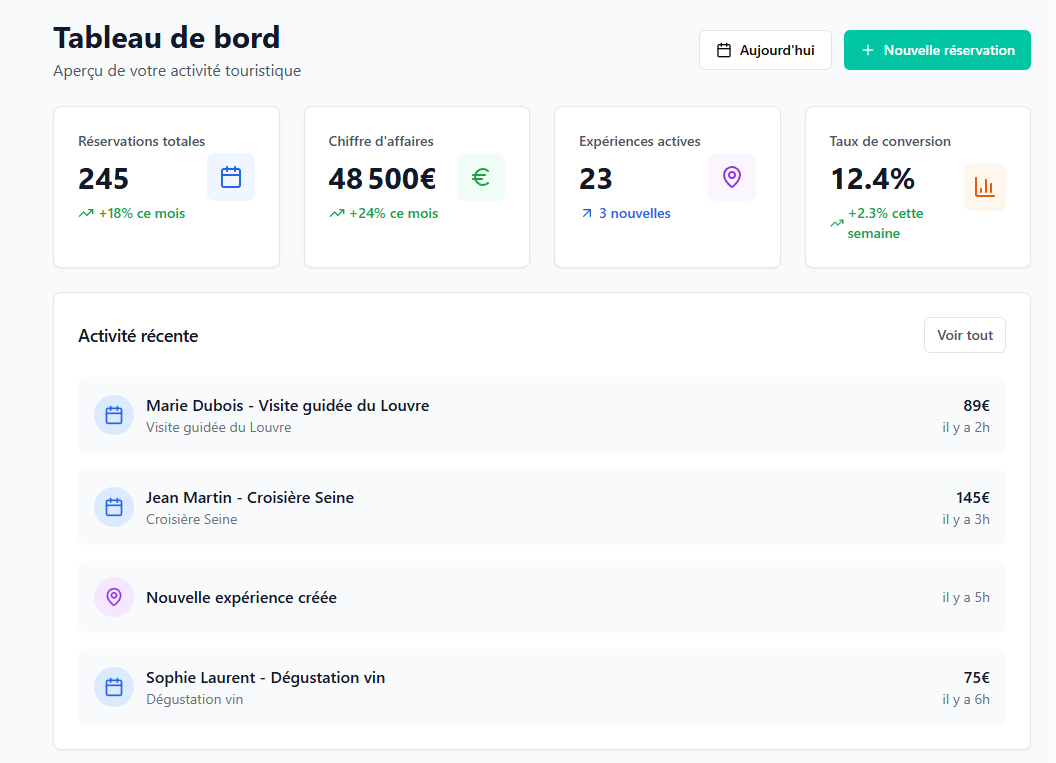
At Tourbiz, the widget is just one building block of our booking software. You create your products once, display them on your site, and every booking automatically feeds your schedule, your payments and your invoicing.
Everything is steered from a single back office, with no third-party tool to connect or double entry to manage.
🎯 Our tip: Our clients often start by plugging the widget into their site, then activate the OTAs and Google afterwards. The logical order: the direct channel first, which costs no commission, then the paid acquisition channels.
What mistakes should you avoid with a booking widget?
A few pitfalls come up often and drag down results. Here they are, with the fix.
- A journey that’s too long. Every unnecessary step or field causes drop-off. Ask for the minimum; payment should come quickly.
- An unsynchronised widget. Without shared updates via a channel manager, overbooking looms as soon as you sell elsewhere.
- No mobile version. Most bookings happen on a phone: a widget that’s unreadable on mobile means lost sales.
Fix these three points, and your site stops being a mere showcase and becomes a real sales channel.
Where to start concretely?
The steps come down to three milestones: configure your activities and their slots, integrate the widget on your site, then connect payment and synchronise your availability.
À petit budget, des logiciels de réservation gratuits permettent de démarrer sans se ruiner.
Juggling several activities quickly gets messy, so being able to manage your schedules online keeps every slot in one clear view.
The end goal is simple: turn every visit to your site into a booking that can be made immediately, with no friction and no commission. The rest is just a matter of configuration, done once and for all.